How To Change Ship Date
Changing the ship date applies to your upcoming subscription shipment and not to an order that’s already been placed.
Note: A subscription can only be pushed back up to 28 days from today, up to three times. To delay a subscription longer than 28 days, please Contact Customer Care.
Follow the guide below to change your subscription ship date:
Step 1: Open the Pura App and go to the Deliveries tab at the bottom of the screen
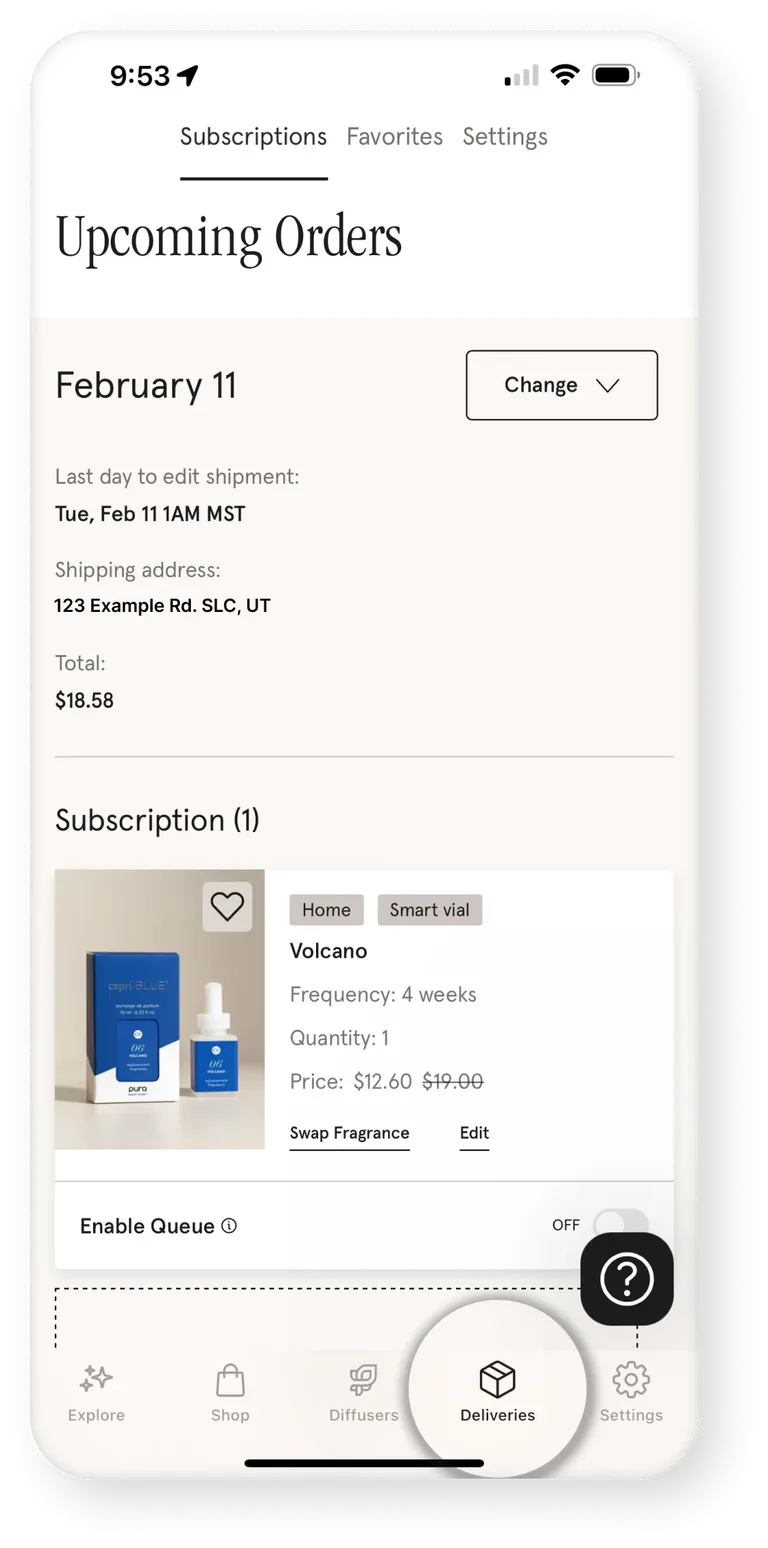
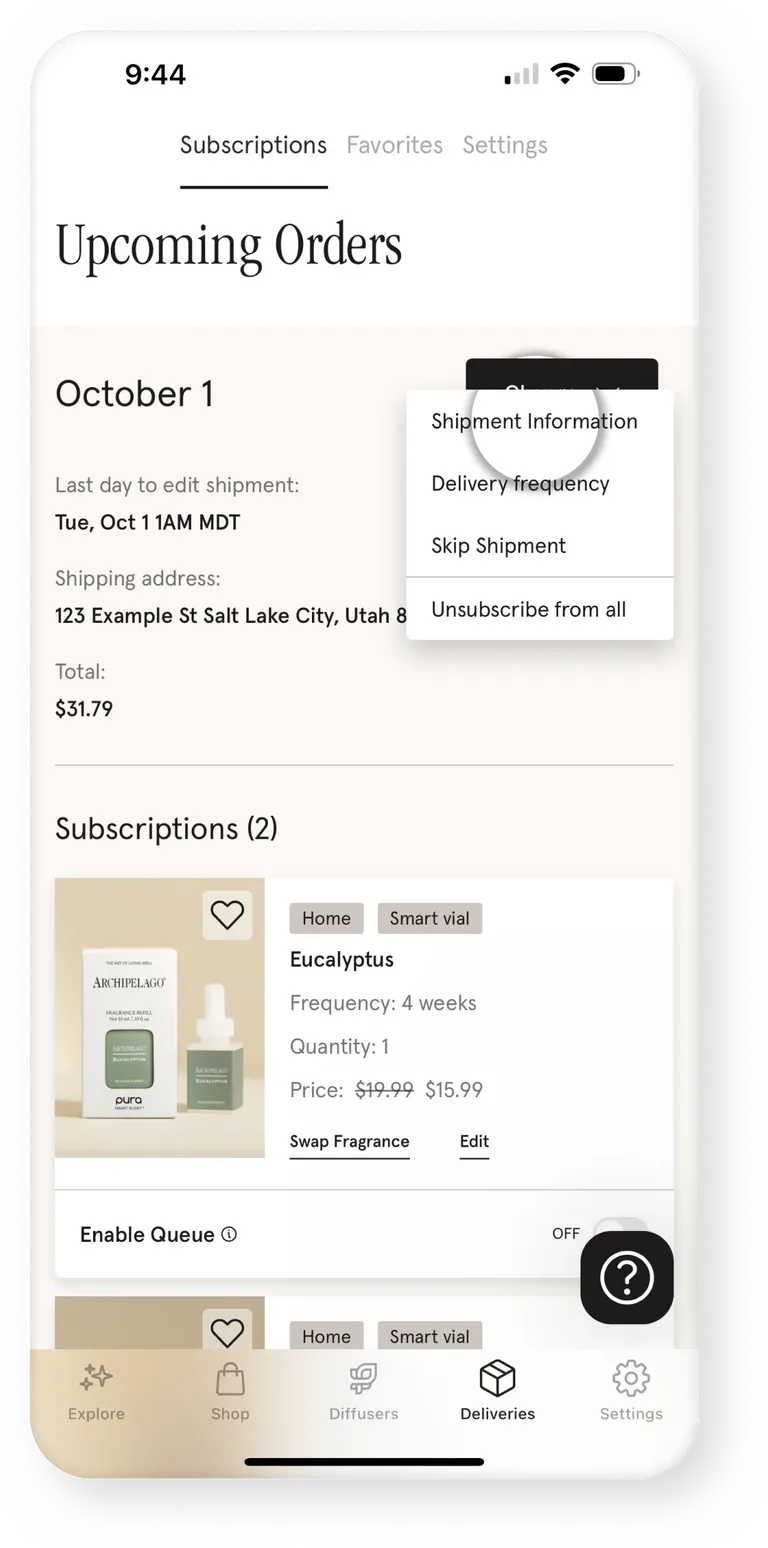
Step 2: Select Change
Then choose Shipment Information
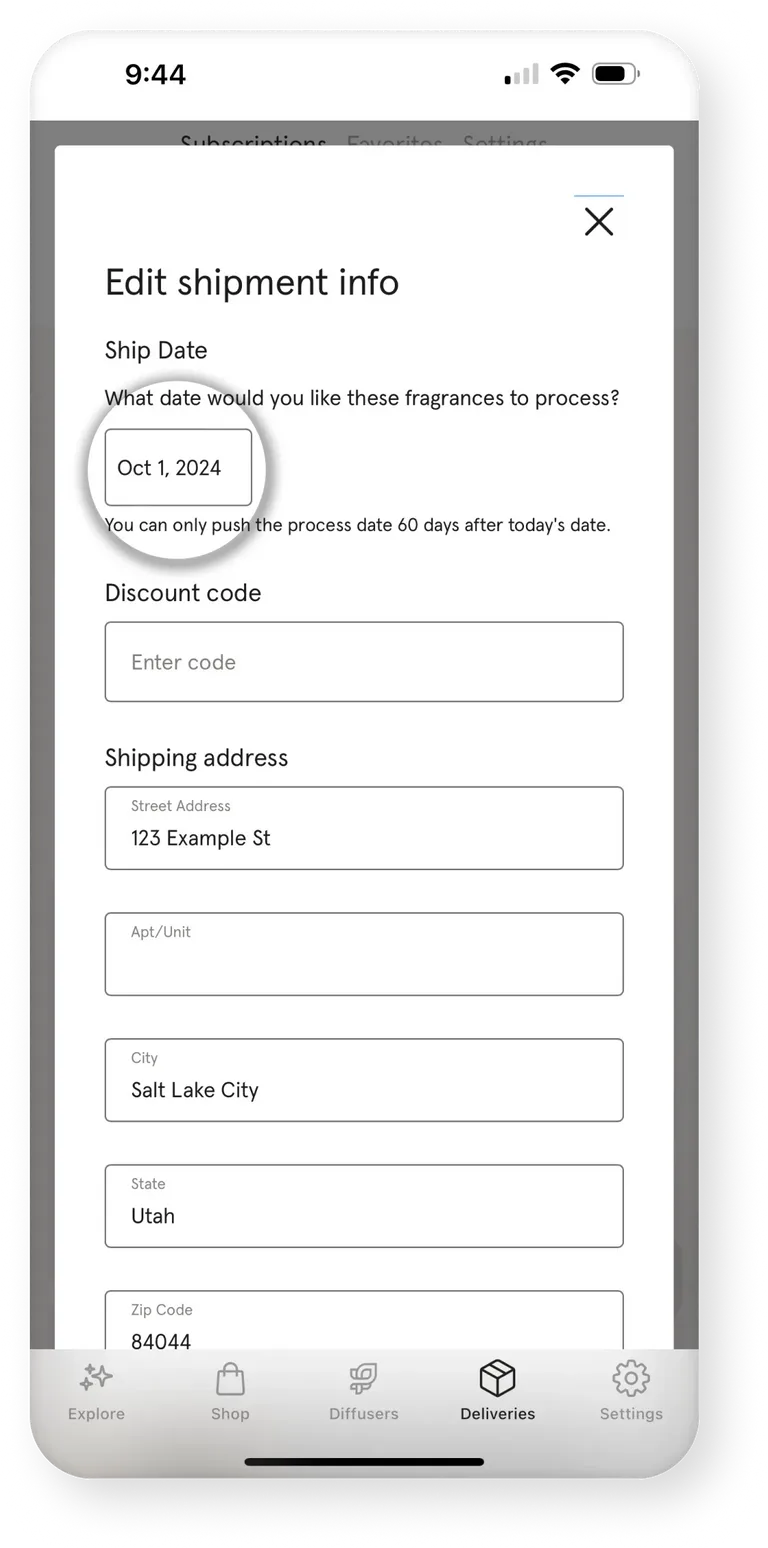
Step 3: Choose the desired process date
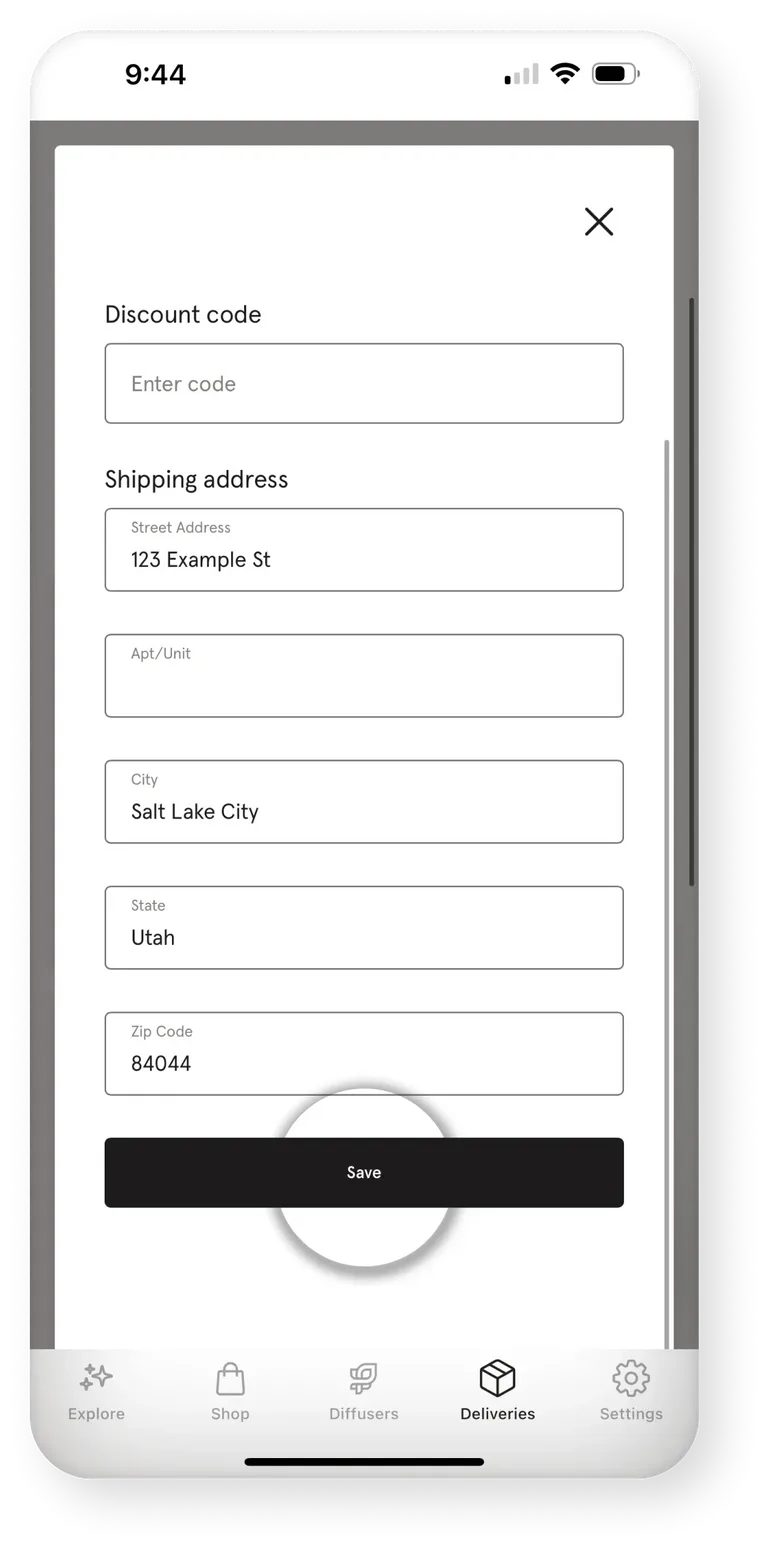
Step 4: Tap Save to confirm changes
September 29 2026
Was this article helpful?