How to Cancel a Subscription
Follow the steps below to cancel a subscription
Step 1: Open the Pura App and go to the Deliveries Tab
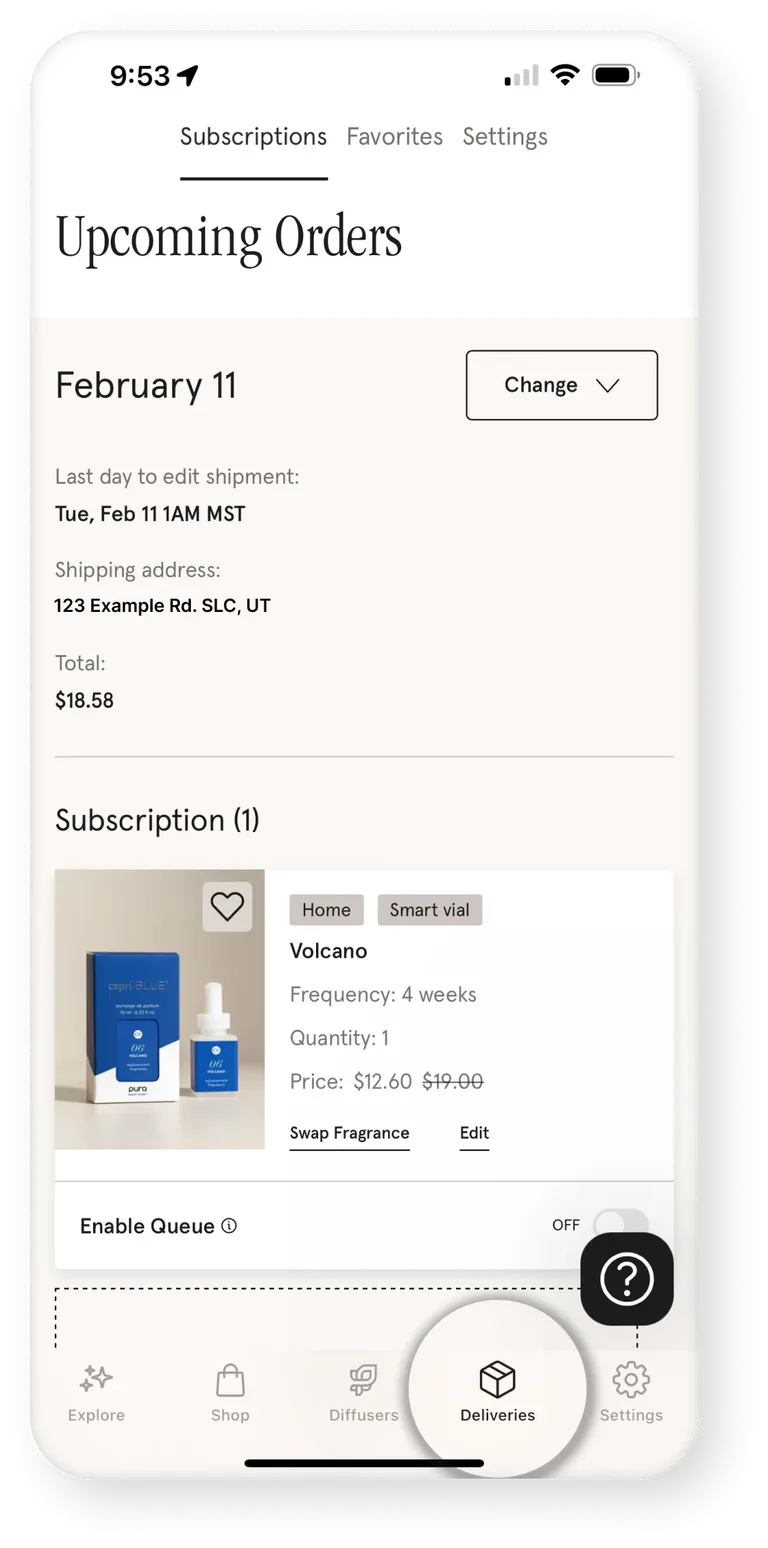
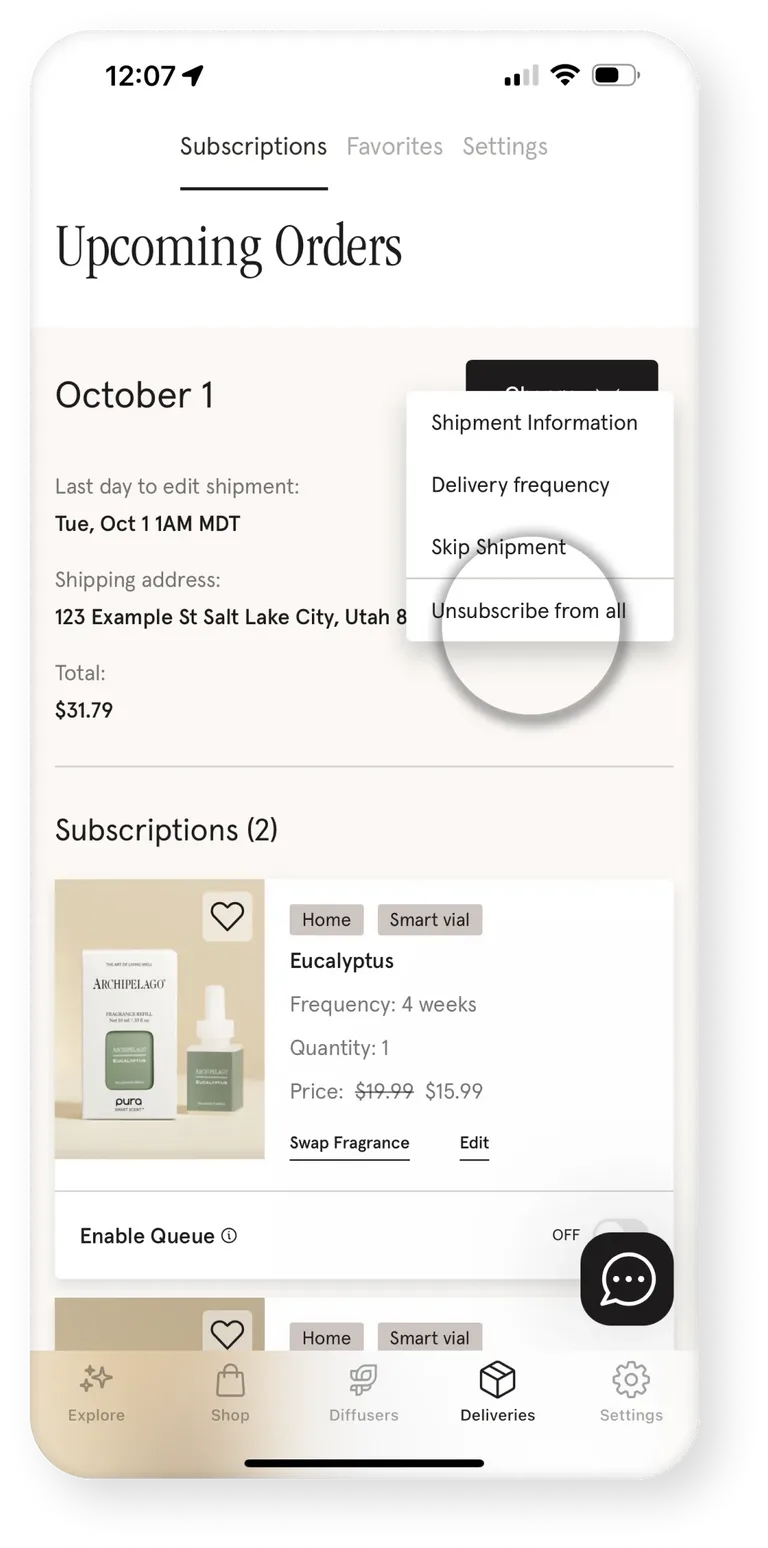
Step 2: Click Change in the top right corner
Then Click Unsubscribe From All.
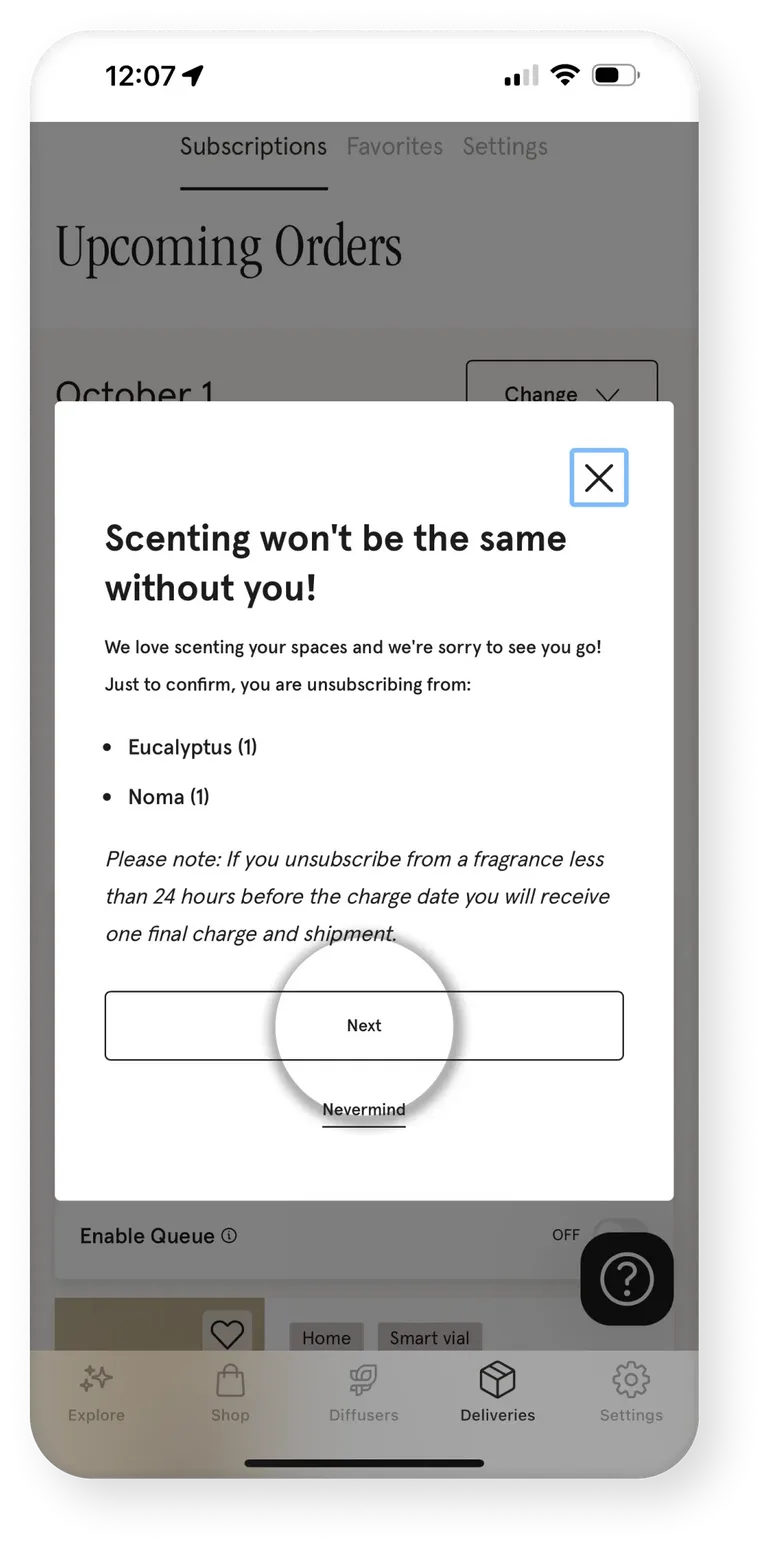
Step 3: Confirm you are unsubscribing from the correct fragrances
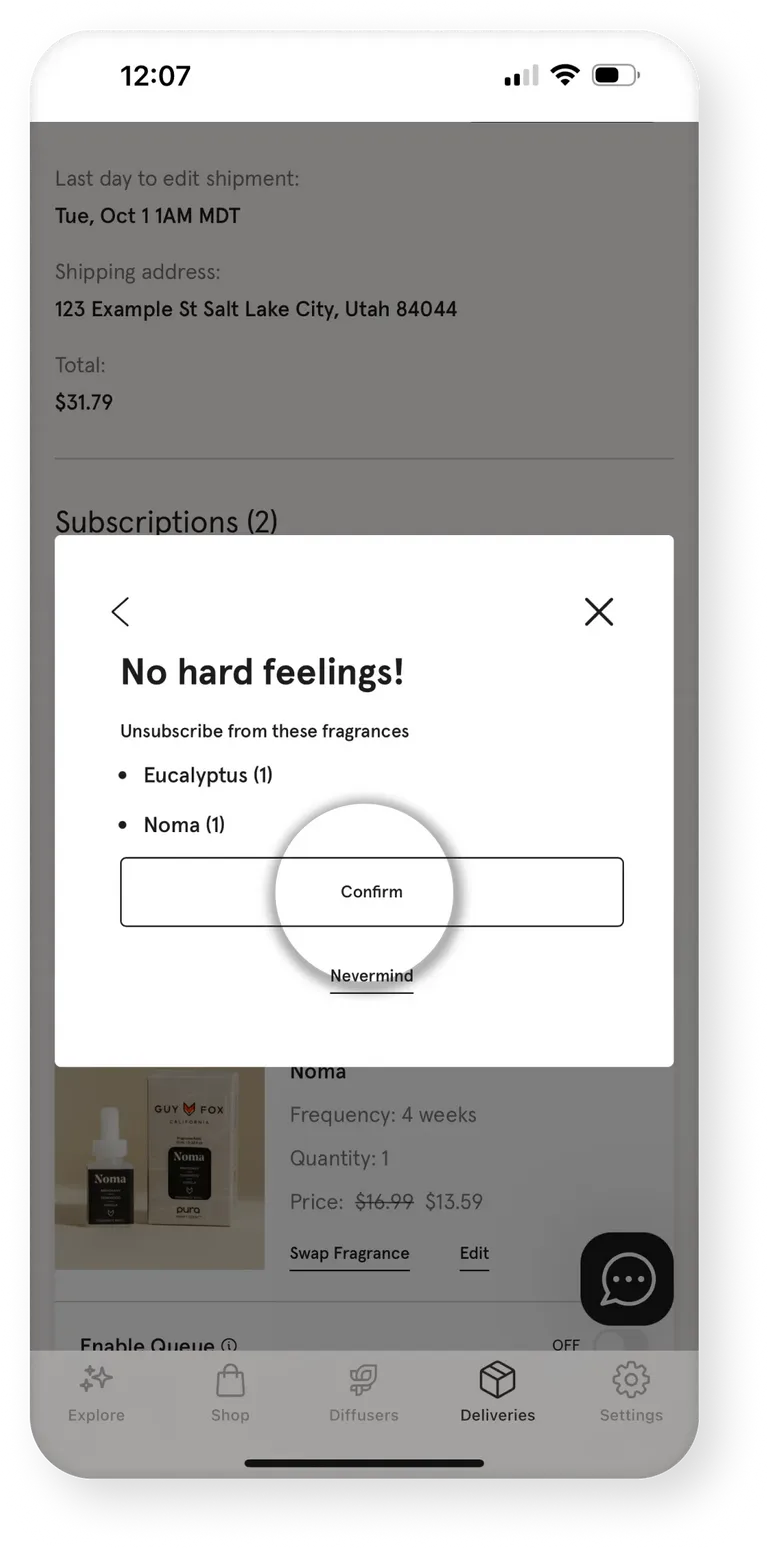
Step 4: Tap Confirm to unsubscribe
If you would like to unsubscribe from only 1 subscription, follow the same process but click Edit on the individual fragrance.
Frequently asked questions
If you’re on a commitment subscription for a free diffuser the process is the same. Please Note, you will be charged the full price of the diffuser if you have not completed your commitment.
September 29 2026
Was this article helpful?